
MaxPreps: High School Sports
MaxPreps IncSports
4.12.37K Reviews
- Version
- 5.7.0-Prod-261112
- Installs
- 1.00M
- Age Rating
- Everyone
Screenshots

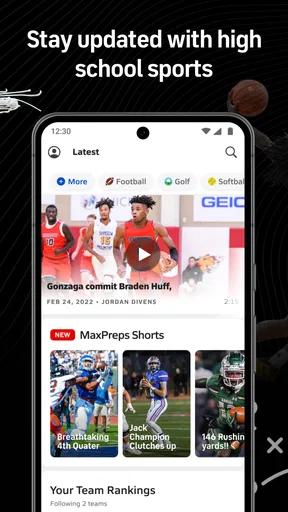

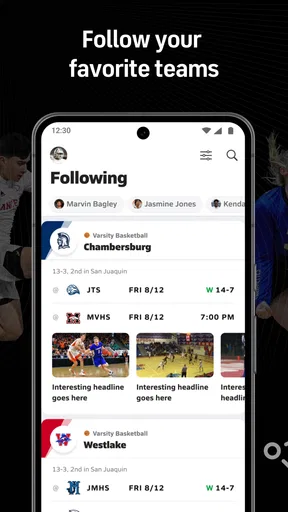
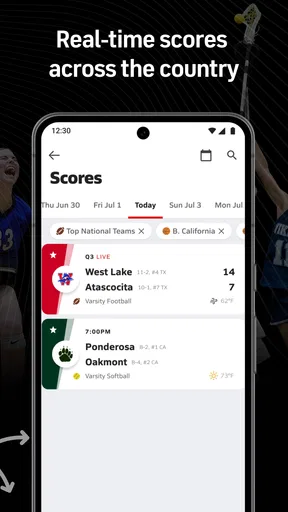
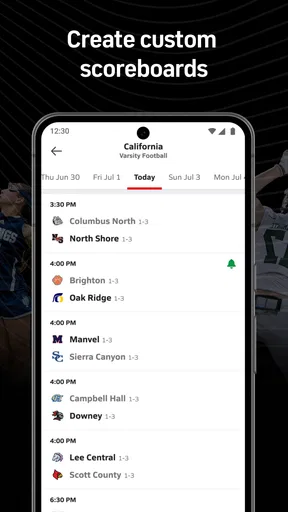
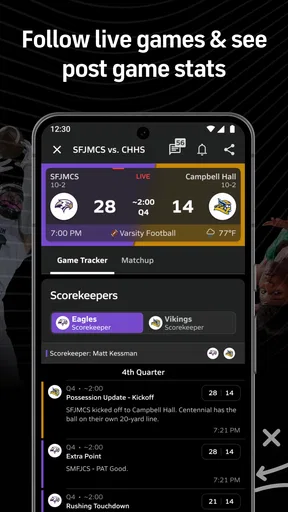
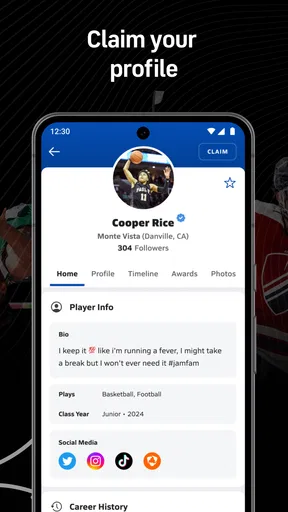
Our Review of MaxPreps: High School Sports
 Analysis by Appyee
Following a school sports season is surprisingly difficult when information is scattered between team pages, school announcements, social posts, and messages from coaches. I found MaxPreps: High School Sports most useful because it brings the practical parts of that routine into one sports-focused app: scores, schedules, and athlete information. It is free to use, aimed at everyone, and developed by MaxPreps Inc.
I approached it as a first-time user rather than someone already familiar with the MaxPreps system. That matters because the app makes the most sense once you choose the sports, schools, teams, or athletes that matter to you. Before that, it can feel like a broad directory. After that, it becomes much more personal and useful, especially when a busy week includes several games, changing plans, or more than one athlete to follow.
What to expect when you open MaxPreps
This is not a training app, a live-streaming service, or a replacement for a coach’s direct communication. Its strength is organization. I use it as a reference point for checking what happened, what is coming next, and where a particular team or athlete fits into the wider high school sports landscape.
The app belongs in the sports category, and its focus is clearly competitive school athletics rather than general fitness. That narrow purpose is helpful if you are a student-athlete, parent, relative, supporter, coach, or fan who wants school-level information without sorting through unrelated professional or college coverage.
The first screen can seem less immediately personal than a simple team calendar. MaxPreps covers many schools and sports, so the useful information depends on the choices you make during setup. I would not judge it after only a quick glance at the opening screen. The real test is whether you can shape it around the teams and athletes you actually care about.
In everyday use, I found the app most valuable before and after an event. Before a game, I check the schedule and confirm the opponent or timing. Afterward, I look for the result and any available athlete or team information. That creates a simple rhythm: prepare, check, and review. It is less useful when I need a detailed tactical breakdown or private team communication.
The app has been available since December 4, 2015, and its current Android version is 5.6.6-Prod-260820. It requires Android 8.0 or later. Those details are worth checking before installation if you are using an older phone, but on a supported device the basic entry point is straightforward.
Who gets the most from it
Parents are an obvious audience, particularly when they follow a child’s schedule while managing work, transportation, and other family commitments. Students can also use it to keep track of their own season and see how their team appears in the broader local sports picture. A supporter who follows several schools may appreciate having a single place to move between them instead of relying on separate school websites.
I also see value for someone new to high school sports. If you do not know which teams play in a particular area or want to understand a school’s season, the app gives you a more structured starting point than searching randomly. The important distinction is that it helps you find and follow information; it does not remove the need to verify last-minute changes through the school or team when timing is critical.
On the other hand, I would skip it if your only need is a private calendar maintained directly by a coach. A basic calendar may be quicker for a single team, especially when the coach regularly changes locations or sends detailed instructions. MaxPreps is better when you want a wider view and a continuing record of scores, schedules, and athlete-related information.
From installation to a useful first result
I start by choosing one team I genuinely need to follow, rather than trying to explore every school and sport at once. That gives me a quick way to judge whether the schedule and results fit my routine, and it keeps the first session focused on a practical question: what should I check next? From there, I can look at how the app’s broader team and athlete information adds context.
Start with one team instead of everything
My advice is to begin narrowly. Choose the sport and school or team that matters most, then look at its upcoming schedule before adding more interests. This prevents the app from becoming a long list of unfamiliar names. Once the first team is working for you, adding another is much easier because you already understand how the information is arranged.
Think about the first meaningful success you want. For a parent, it may be finding the next game without asking someone else. For a student, it may be checking the season schedule and recent results. For a fan, it may be locating a school and comparing its current activity with another nearby program. Defining that small goal makes setup feel purposeful rather than like browsing a database.
When I set up a sports app, I prefer to make choices that match my real routine rather than selecting every possible interest. With MaxPreps, that approach is especially useful because the service covers many teams and athletes. A focused starting point keeps the schedule readable and makes it easier to notice the information that affects your day.
Your first successful action
The quickest useful workflow is simple. Find the team or school, open its schedule, and identify the next event. Then check a completed event to see how scores and related information are presented. Doing both gives you a practical understanding of the app: one view helps you plan, while the other helps you follow the season’s progress.
I recommend taking a moment to inspect the surrounding team and athlete information instead of stopping at the next game. This is one of the app’s less obvious strengths. MaxPreps is not only a reminder tool; it can also provide context around the people and teams participating in the season. That makes it more useful for fans and relatives who want to follow development over time rather than only remember game day.
A realistic example is a Friday when a parent is leaving work and needs to confirm which event comes next, while another family member wants to know the result of an earlier game. I would open the relevant team page, check the schedule, and then move to the completed event rather than searching the web from scratch. That small workflow saves effort because both questions belong to the same sports context.
Another useful habit is to check the app before making travel assumptions. A listed schedule can help you orient yourself, but I would still treat direct team communication as the final word when a trip, pickup, or arrival time depends on it. This is not a criticism unique to MaxPreps; school sports information can change, and a public sports listing should not be treated as a personal message from the coaching staff.
How to make the information manageable
If you follow multiple athletes or teams, separate your questions. First ask, “What do I need to attend?” and use the schedule. Then ask, “What do I want to understand about the season?” and explore scores, team details, or athlete information. Mixing both tasks at once can make the app feel busier than it needs to be.
I also found it helpful to return to the same team page instead of repeatedly starting broad searches. That creates a consistent workflow and reduces the chance of opening a similarly named school or team. This is a small practical tip, but it matters when you are checking information quickly from a parking lot, workplace break, or crowded home before an event.
For a family, I would agree on which school or team is the primary one before everyone begins searching independently. This avoids a common problem with sports apps: different people following slightly different pages and then wondering why their screens do not match. A shared starting point makes conversations about schedules and results clearer.
Common confusion during the first week
The biggest adjustment is understanding that MaxPreps is broader than one team calendar. If you expect the opening screen to show only your child’s next event, the range of sports and school information may initially feel distracting. The solution is not to explore everything immediately. Narrow the app to the teams and athletes that define your routine.
Another point of confusion is the difference between general season information and last-minute instructions. A schedule can tell you what an event is and when it is expected to occur, while a coach or school may provide details about arrival, uniforms, transportation, weather changes, or venue access. I use MaxPreps for the first layer and direct communication for the second.
It is also easy to assume that every athlete page should contain the same depth of information. In practice, the value of athlete information depends on what has been entered and maintained for that team or school. I treat those pages as a useful reference rather than assuming they are a complete personal profile for every competitor.
Search results can create a similar issue. Schools and teams may have names that look alike, so I slow down and check the surrounding context before relying on a page. Confirming the school and sport is a better habit than opening the first matching result and immediately forwarding details to family members.
Some users may wonder whether the app is suitable for younger students. Its content rating is Everyone, which makes it broadly approachable for families. Even so, the most appropriate use depends on the child’s age, the family’s preferences, and how much time they want to spend following competitive results and athlete information.
Where it compares well with ordinary alternatives
The usual alternative is a school website, a coach-maintained calendar, a social media page, or a general search engine. Each can work, but they serve different purposes. A school website may be the best source for official announcements. A coach’s calendar may contain more practical team instructions. Social posts may appear quickly, but they can be difficult to search later. A general search engine is flexible, yet it often sends you through several pages before you reach the relevant schedule.
MaxPreps sits between those options. It gives sports information a consistent home and makes it easier to move from a team’s upcoming schedule to its results and athlete context. That structure is the main reason I would recommend it over repeatedly searching the open web.
The trade-off is that a centralized sports platform can feel less direct than a message from the team. If you only care about one event and already receive reliable updates, opening another app may add little. If you follow several teams, want historical context, or need a clearer way to browse school sports, the broader design becomes an advantage.
Practical limits I would keep in mind
The app’s usefulness depends on the quality and timeliness of the information attached to the teams you follow. I would not use it as the only source for a high-stakes travel decision, especially when weather or venue changes are possible. Checking the school or coach separately is sensible when the cost of being wrong is high.
There is also a learning curve caused by breadth. New users who want one clean, minimal schedule may find the wider collection of sports and schools more than they need. The app rewards people who take a few minutes to organize their attention; it is less satisfying for someone who expects every screen to be stripped down to a single team.
Finally, sports fans looking for professional-level analysis should set their expectations correctly. MaxPreps is valuable for following high school competition, but its purpose is not to replace specialized analysis, private coaching tools, or detailed performance software. I see it as a dependable information hub rather than a complete coaching system.
The next step after the first successful check
Once you have found the right team and confirmed the next event, build a repeatable routine. Check the schedule at the start of the week, review results after games, and use athlete or team pages when you want more context. This turns the app from something you open only when confused into a small part of how you follow the season.
If you are a parent, combine that routine with your family calendar rather than expecting MaxPreps to handle every reminder or logistical detail. Copy the events that affect transportation or attendance, then return to the app when you need the sports-specific context. That division of labor works better than forcing one app to manage the entire family schedule.
If you are a student-athlete, use it as a way to stay aware of your team’s public season information, but keep coach instructions in their original channel. The app can help you see the competitive record and upcoming events without becoming a substitute for communication with the people running your program.
For a fan, the best next step is to follow one school consistently before expanding outward. Watch how the schedule and results change across the season, then add another team if the comparison genuinely helps. This gives the app a purpose and avoids turning it into an endless stream of names and events.
My final recommendation is straightforward: MaxPreps is worth trying if you want a central place for high school sports schedules, scores, and athlete information. I like it most as a planning and follow-up tool, especially for families and supporters who need more than a single isolated game listing. It is free, has an Everyone content rating, and has built a substantial audience, with an average rating of 4.2 from around 9.8 thousand ratings and over 500 thousand installs.
At the same time, I would keep a school or coach’s direct updates nearby for changes and instructions. The app is not perfect for people who want a private, ultra-simple calendar, and its broad coverage takes a little organization at the beginning. For everyone else, that breadth is exactly what makes it useful: after a short setup, I can move from “When is the next game?” to “How is this team’s season developing?” without starting the search all over again.
Privacy and Permissions
See what permissions an app requests and how it handles your data.
- Identity
- find accounts on the device, read your own contact card
- Contacts
- find accounts on the device, read your contacts
- Location
- approximate location (network-based), precise location (GPS and network-based)
- Photos/Media/Files
- read the contents of your USB storage, modify or delete the contents of your USB storage
- Storage
- read the contents of your USB storage, modify or delete the contents of your USB storage
- Microphone
- record audio
- Wi-Fi connection information
- view Wi-Fi connections
- Other
- view network connections, full network access, run at startup, control vibration, prevent device from sleeping
Verdict
Strengths of MaxPreps: High School Sports
- Covers numerous high school sports, including less-publicized activities.
- Team pages make it easy to follow schedules, scores, and season records.
- Useful rankings and standings help compare teams across regions.
- Personalized alerts can keep fans updated on selected teams and games.
- Clean layout makes core scores and schedules quick to find.
Limitations of MaxPreps: High School Sports
- Coverage and statistics can vary considerably between schools and regions.
- Some features may depend on coaches or users submitting accurate information.
- Frequent notifications may feel excessive unless carefully customized.
- The app is less useful outside the U.S. high school sports system.
- Advanced content and some updates may require an account or paid access.
Similar Picks in This Category
View All
BeSoccer: Soccer Live Score
BeSoccer apps4.3

Cricbuzz - Live Cricket Scores
Cricbuzz.com3.7

NFL
NFL Enterprises LLC2.4

Da Fit
MO YOUNG LIMITED3.6

ESPN
Disney4.5

LiveScore: Live Sports Scores
LiveScore Limited4.5
Frequently Asked Questions
What is MaxPreps: High School Sports used for?
MaxPreps: High School Sports is designed for following high school athletics in the United States. It lets users check schedules, scores, rankings, team information, rosters, player statistics, news, photos, and game updates across many sports. It is particularly useful for students, parents, coaches, fans, and anyone who wants to keep track of local or national high school competitions.
Which sports and schools are covered in the MaxPreps app?
MaxPreps covers a wide range of high school sports, including football, basketball, baseball, softball, soccer, volleyball, wrestling, lacrosse, track and field, swimming, tennis, and more. Coverage can vary by state, school, and sport because information is often submitted or maintained by schools, coaches, and community members. Some teams may therefore have more complete statistics and schedules than others.
Does MaxPreps provide live scores and real-time game updates?
The app can provide live scores, game results, schedules, rankings, and other updates when information is reported by participating schools, coaches, authorized users, or event contributors. However, real-time coverage is not guaranteed for every game or location. If a score appears late or statistics are incomplete, the delay may depend on how quickly the relevant school or contributor submits the information.
Is MaxPreps free to download and use?
MaxPreps is generally available to download and use without an upfront purchase, allowing users to browse many scores, schedules, rankings, team pages, and player information. Certain features, content, or experiences may be affected by advertising, account requirements, or changes introduced by the developer. Before downloading, users should review the current app-store listing for subscription details, in-app purchases, and regional availability.
Do I need an account to use MaxPreps: High School Sports?
You can typically explore much of the app without creating an account, including public team pages, schedules, scores, and rankings. An account may be useful or required for personalized features such as following teams, receiving notifications, submitting information, or managing a school or team profile. Parents and students should also review privacy settings and avoid sharing unnecessary personal details when creating a profile.
